Game Development
2D and 3D games in Unity with custom art, procedural generation, and component-based architecture
The Game Development Journey
Multiple 2D and 3D games built in Unity, exploring everything from hand-crafted level design to procedural generation. What started as curiosity about how games work under the hood became a deep dive into game feel, systems design, and the intersection of code and creativity.
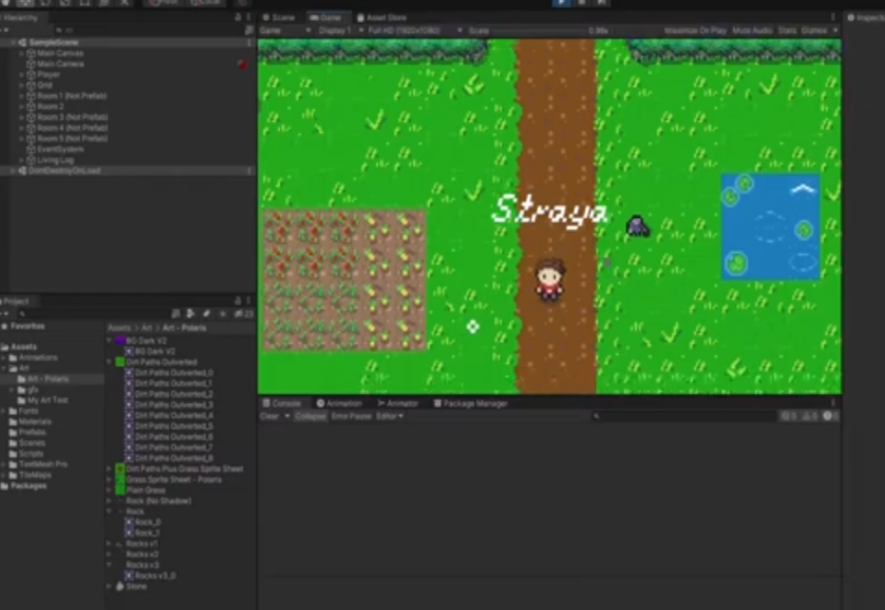
The main project is a 2D top-down RPG—tile-based world, NPC interactions, dialogue, exploration between areas. But I've also built platformers, experimented with 3D, and explored procedural content generation.
Procedural Generation
One of the more interesting areas: creating content algorithmically rather than by hand. The foundation is noise generation—Perlin noise, simplex noise—functions that produce smooth, natural-looking randomness. Sample the noise at each point in a grid, and you get terrain that looks organic rather than chaotic.
The challenge isn't generating random content—it's generating playable content. Pure noise creates unusable garbage. The real work is constraining the randomness: ensuring paths exist, difficulty ramps appropriately, and the result is actually fun. This meant building validation systems, playtesting parameters, and iterating until procedural levels felt designed rather than random.
Game Architecture
Games are built using component-based architecture—Unity's core pattern. Rather than monolithic scripts, functionality separates into discrete components: player controller, enemy AI, collision handler, dialogue system, inventory. Compose them together to create complex behaviors. Learning when to use composition vs. inheritance was key—inheritance hierarchies become rigid, composition stays flexible.

State machines manage game states (menu, playing, paused) and entity states (idle, moving, attacking, interacting). Each state defines allowed transitions, input handling, and update logic. This prevents impossible states and makes adding new behaviors straightforward—just add a new state and define its transitions.
Art & Animation
Custom art created in Aseprite for pixel art and Moho for more complex animation. Tiles for terrain, sprites for characters and objects, animations frame by frame.
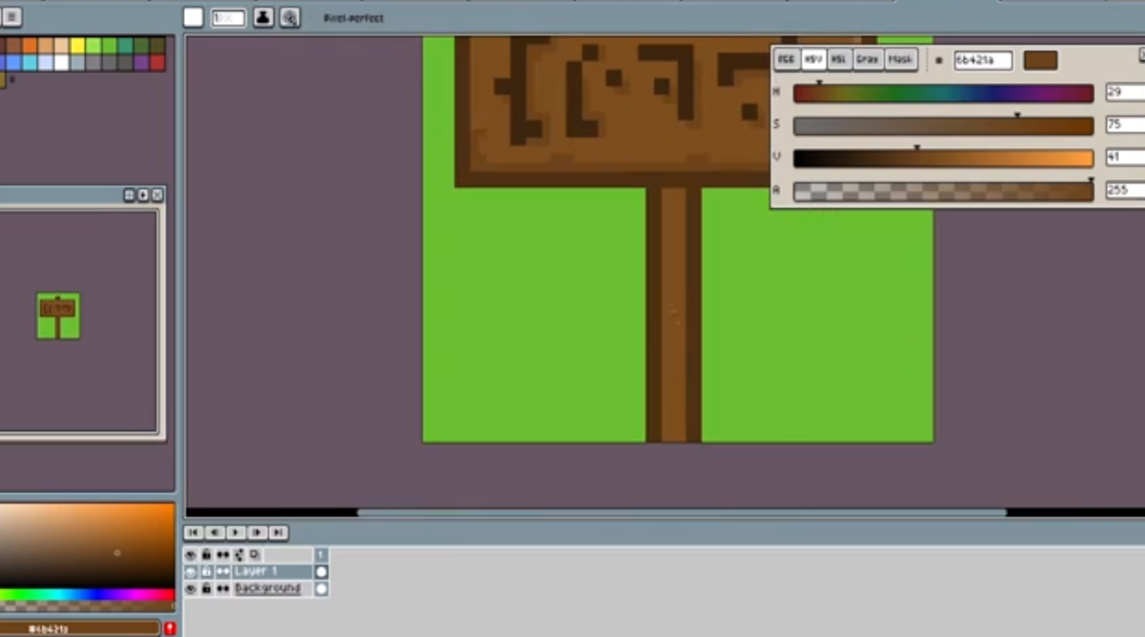
The workflow: design, block in colors, refine, export as sprite sheet. Unity imports and slices into individual sprites. Animations are sequences played in order—walk cycles, idle states, reactions. Unity's Animator state machine connects animations to game states.
Understanding the relationship between art and gameplay matters:
- Sprite size affects hitbox design
- Animation frames communicate state to players
- Visual clarity impacts playability
- Color palettes establish mood and readability
2D vs 3D
2D games taught foundational concepts: tile-based worlds, camera systems, sprite layering and sorting, simple physics. Problems are easier to visualize and debug.
3D games introduced spatial complexity that 2D never touches. Blender for modeling—vertices, faces, UV unwrapping, rigging. In Unity: 3D camera control (third-person cameras are harder than they look), perspective rendering, Z-fighting issues, more expensive physics, lighting affecting gameplay readability. Learning to think in three dimensions required a mental shift.
Physics & Game Feel
Unity's physics provides the foundation, but good game feel requires custom tuning. Player movement needs to feel responsive—not floaty, not sluggish. This means tweaking gravity, acceleration curves, input buffering. Small changes dramatically affect how the game feels.
Going beyond "does it work" to "does it feel good": screen shake on impacts, particle effects on actions, camera smoothing, sound design for feedback. These polish elements transform functional games into enjoyable ones.
Game development is different from web development. Everything runs in a loop, every frame. Performance matters constantly—60fps means 16ms for everything. The intersection of code and creativity is what makes it interesting.
 Blender